
Cancelling a job removes the job from your current jobs. When you cancel a job, any relievers that have been assigned the job will be notified. If you cancel a job before you have assigned a reliever, any relievers that have applied for the job will be notified.
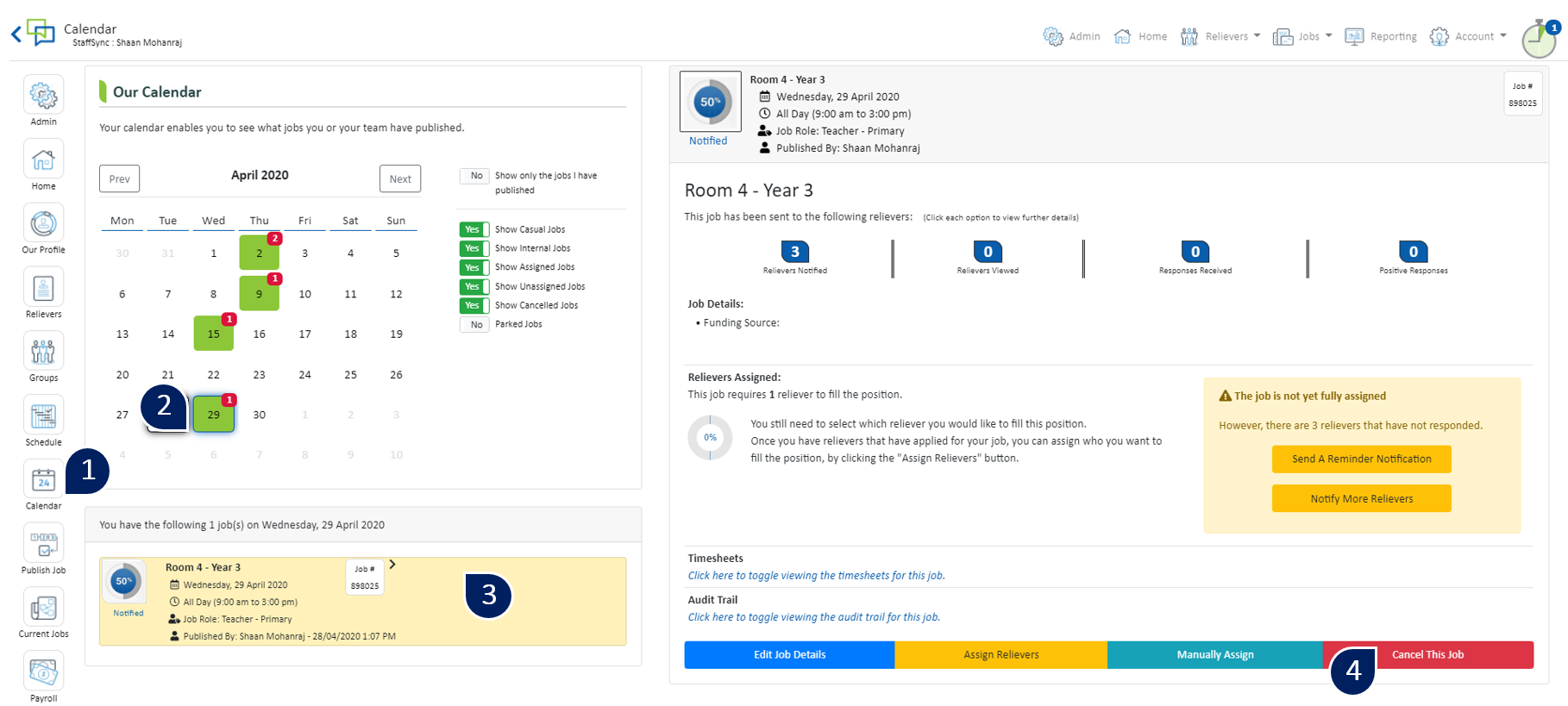
- Select ‘Calendar’
- Click on the date of the job
- A list of jobs published for this date will appear here. Select the job of you wish to cancel
- Select ‘Cancel This Job'
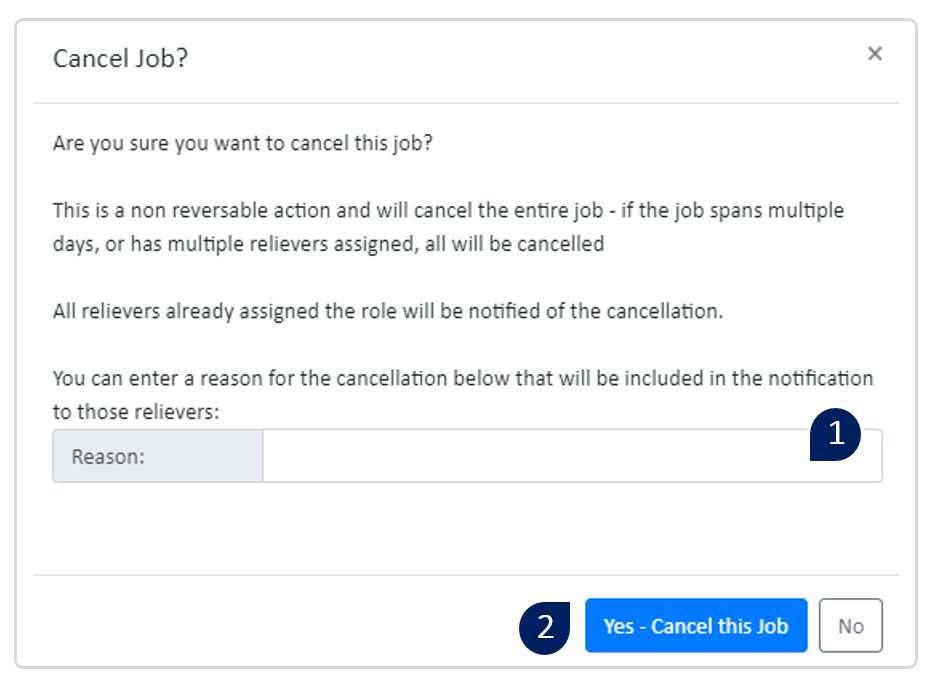
- Enter the reason for the cancellation here. The reliever will also be notified of this cancellation reason
- Select ‘Yes – Cancel this Job’ to complete the cancellation. A notification will be sent to any assigned relievers informing them of the cancellation